Documentary narration
A measured voice style for factual, chapter-based videos.
Caldravo splits large scripts into reviewable chunks, lets you redo only the weak sections, and exports one finished MP3 — all from your own computer.
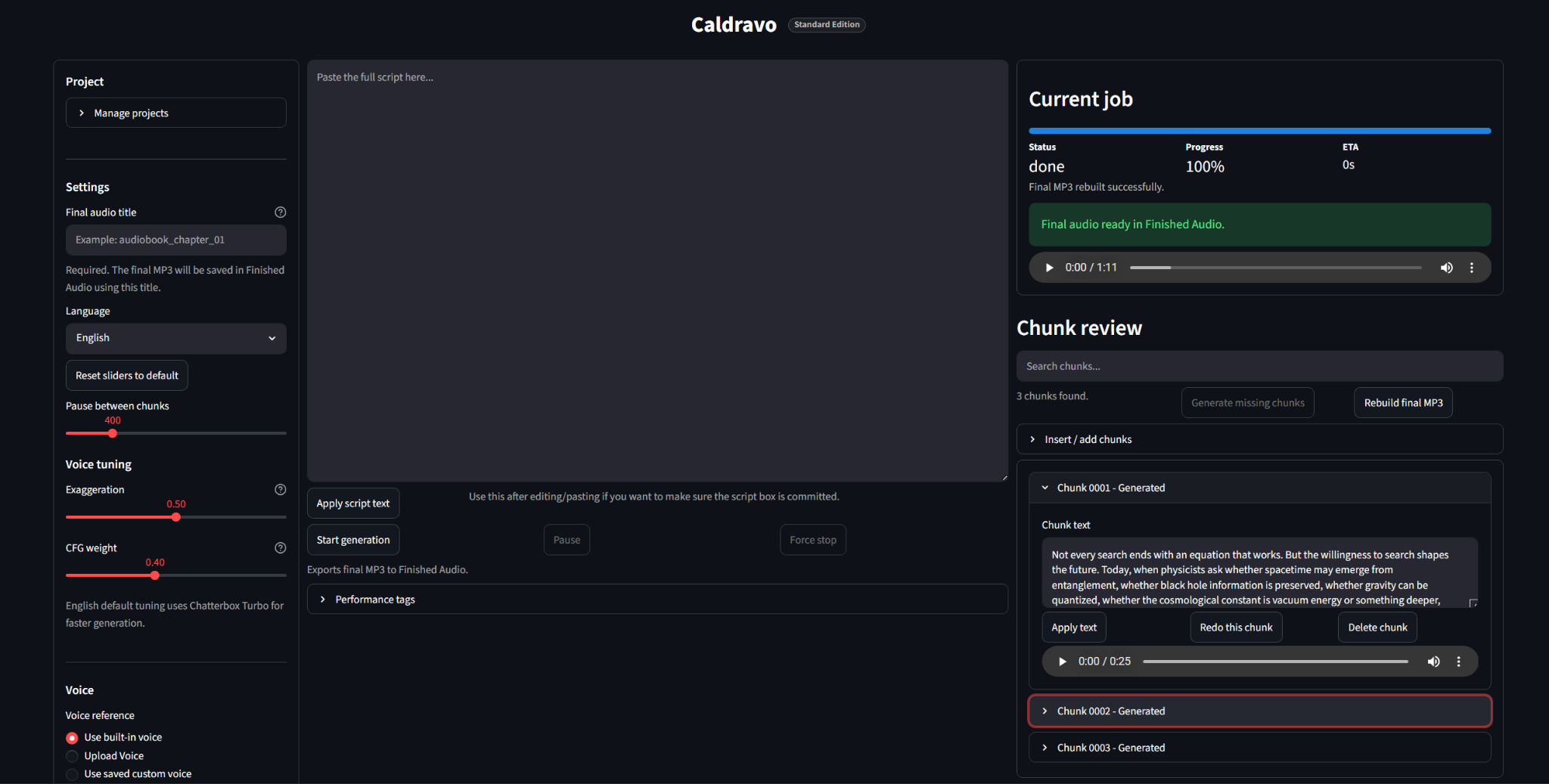
Project controls on the left, script editing in the center, and job status with chunk review on the right.
Real sample outputs for documentary, calm, and audiobook-style narration.
A measured voice style for factual, chapter-based videos.
Slow, steady pacing for calming long-form scripts.
Consistent narration across extended chapter sections.
Long narration projects need status, playback, retries, and a way to return later.
A wrong pause, pronunciation, or tone shift should not mean rebuilding an entire chapter.
Big narration projects need chunk status, playback, notes, and a way to return later.
Per-minute credit systems make experimentation stressful while the script is still changing.
Drop in a chapter, documentary, course, or long narration script.
Split the script into manageable sections and generate them one by one.
Listen through each section before rebuilding the final file.
Regenerate the weak section while keeping the rest of the project.
Combine approved chunks into one finished MP3.
Handle long scripts without squeezing them into a short prompt box.
Play, inspect, and track individual narration chunks.
Fix one weak chunk without restarting the whole script.
Save scripts, settings, chunks, and exports for later sessions.
Use the browser as the interface while the workstation runs locally.
Use included presets or a permitted clean reference sample, depending on edition.
Rebuild approved chunks into a single finished audio file.
Built for creators who edit, review, and return to long projects.
Practical examples for chunk-based narration workflows.
Turn researched scripts into sections you can review before export.
Keep pacing consistent and redo only the sections that feel off.
Work through chapters as reviewable chunks before exporting one MP3.
Produce clear lesson narration from structured scripts.
Review scripted episodes in parts before assembling the final narration.
Keep private scripts local while producing practical audio assets.
Keep unfinished scripts private. Generate without per-minute cloud billing. Save every chunk locally and reopen projects later when you need to continue editing.
For testing Caldravo and generating basic projects.
For creators who want a smoother long-form workflow.
Not available today.
Use only voices you own, have permission to use, or are legally allowed to use. Do not use celebrity voices, private individuals, public figures, or other creators’ voices without rights or consent.
Start with the Free Edition to test setup, model compatibility, and generation speed on your hardware.
Initial setup and model downloads may need internet. Generation is designed around local project files afterward.
Scripts, chunk audio, project settings, and exports are saved in local Caldravo project folders.
Yes. The workflow is chunk-based so weak sections can be regenerated without starting the whole project over.
Use depends on your voice rights, model terms, and local laws. Only use voices you have permission to use.
Download the Free Edition, check your setup, generate a short script, and upgrade only when Caldravo fits your workflow.